
Imagine having complete control over your home’s security right at your fingertips-whether you’re at work, on vacation, or just relaxing on the couch. This is the promise of a smart home security system, designed to protect what matters most to you with ease and efficiency.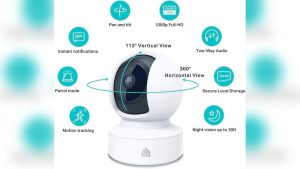
But as you dive into this world, you’ll discover there’s more to the story than just convenience. You’ll face choices about which devices to trust, how to keep your data safe, and how to avoid common pitfalls that can leave your home vulnerable.
Ready to explore everything you need to know before taking the leap? Your smart home security journey starts here, with honest insights and practical tips to help you build a safer, smarter living space. Keep reading to uncover the secrets that can save you time, money, and peace of mind.
Smart Home Security Basics
Smart home security basics cover the essential tools and ideas to protect your home. A smart security system uses connected devices to watch your house.
These devices include cameras, sensors, and alarms. They work together and connect to a central hub. You can control this hub with a mobile app on your phone.
This setup lets you check your home anytime and from anywhere. Understanding these basics helps you start your smart home security journey with confidence.
What Is A Smart Home Security System?
A smart home security system links devices that guard your home. Cameras watch for movement. Sensors detect doors or windows opening. Alarms warn you and scare off intruders.
All devices connect to a hub that manages them. You get alerts on your phone if something unusual happens. This system helps keep your home safe and gives peace of mind.
Key Components Of Smart Home Security
The main parts include cameras, motion sensors, door and window sensors, and alarms. Cameras record video inside and outside your home. Motion sensors spot movement in rooms or yards.
Door and window sensors alert you if opened. Alarms make loud sounds to warn intruders and neighbors. A smart hub links these parts and lets you control them remotely.
How To Control Your Smart Security System
Most smart systems use a mobile app. This app shows live video and alerts. You can arm or disarm the system with a tap. Some systems also work with voice assistants for hands-free control.
The app keeps you connected to your home. It helps you act fast if there is a security issue. Easy control makes smart security simple and useful every day.

Credit: www.csoonline.com
Key Devices To Protect Your Home
Protecting your home starts with choosing the right smart security devices. These gadgets work together to keep your property safe and give you peace of mind. Each device plays a specific role in detecting threats and alerting you quickly.
Smart home security systems combine cameras, sensors, locks, alarms, and control hubs. These tools help monitor your home day and night. They also allow easy control from anywhere using your smartphone.
Cameras And Sensors
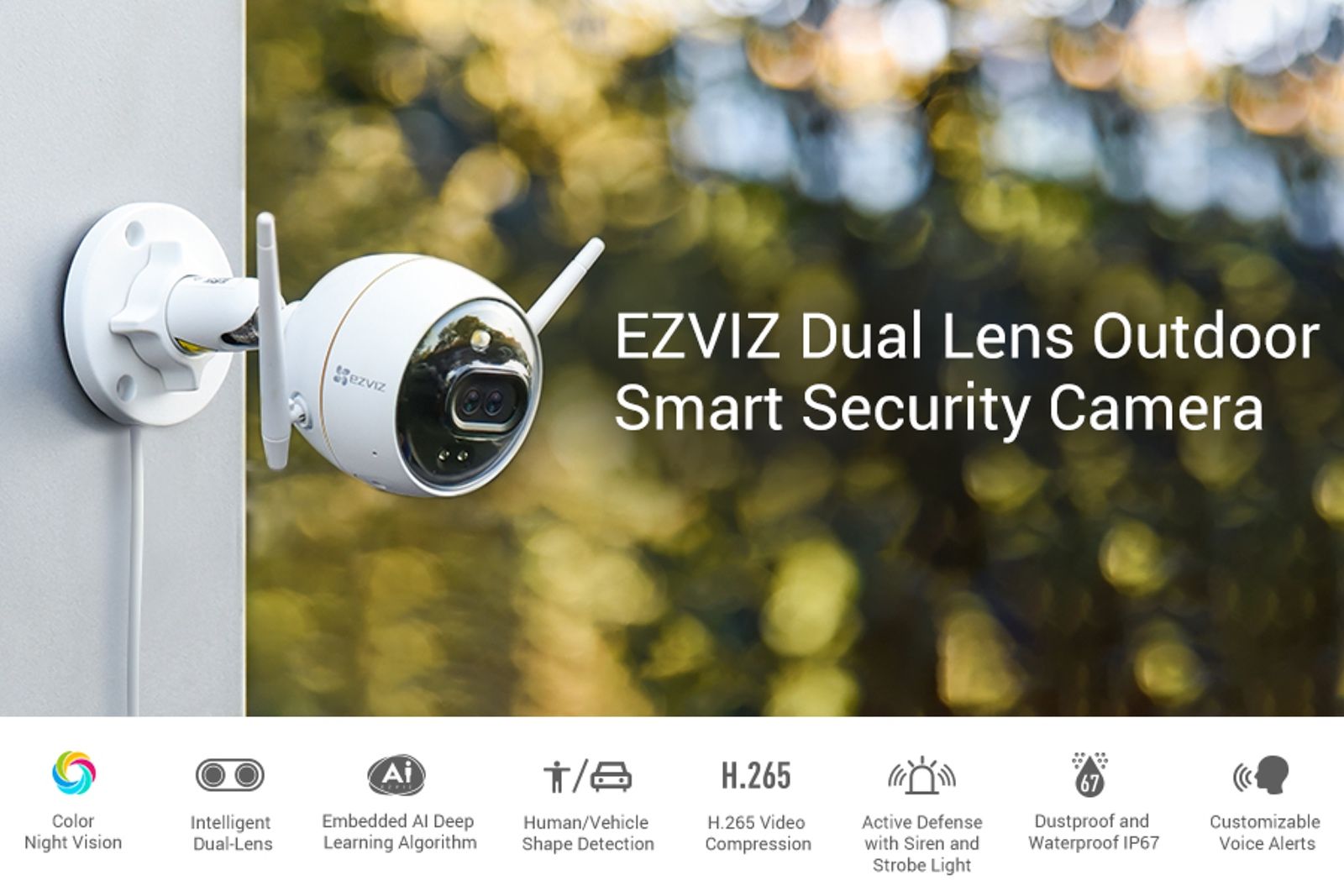
Cameras capture real-time video footage of your home’s surroundings. Motion sensors detect unusual movement inside or outside your house. Door and window sensors alert you if someone tries to open them. Together, these devices provide constant surveillance and early warnings.
Smart Locks And Alarms
Smart locks replace traditional keys with digital codes or biometric access. They allow remote locking and unlocking, improving security and convenience. Alarms sound loud warnings during break-ins or emergencies. These devices deter intruders and notify you instantly.
Central Control Hubs
Control hubs connect all your smart security devices in one system. They collect data and manage alerts through a single app. These hubs make it easy to monitor and control your home’s security remotely. They also allow automation, like turning on lights when motion is detected.
Choosing The Right Security System
Choosing the right security system is crucial for protecting your home and loved ones. The system should fit your needs and budget. It must be easy to use and reliable. Understanding the options helps you make a smart choice. Consider features, costs, and how you want it installed.
Smart home security combines cameras, sensors, and alarms. These devices connect to a central hub controlled by a mobile app. This setup allows remote monitoring and control. Your choice impacts how well your home stays safe.
Top Brands Comparison
Several brands offer solid smart home security systems. ADT is known for professional monitoring and strong support. SimpliSafe offers easy setup and no contracts. Ring provides budget-friendly options with video doorbells. Vivint focuses on full home automation and monitoring. Each brand has different strengths in equipment and services. Compare prices, features, and customer reviews before deciding.
Diy Vs Professional Installation
DIY installation saves money and lets you set up on your schedule. It suits those comfortable with tech and following instructions. Professional installation costs more but ensures expert setup. It offers peace of mind and system optimization. Consider your comfort level and time available. Both methods can provide effective security if done correctly.
Installation Tips And Best Practices
Installing a smart home security system requires care and planning. Proper setup ensures your devices work well and protect your home effectively. Follow these installation tips and best practices for a smooth experience and reliable security.
Choose The Right Location For Devices
Place cameras and sensors where they cover key entry points. Avoid locations with direct sunlight or heavy shadows. Keep devices away from metal objects that can block signals. High spots give better views and reduce tampering risks.
Test Your Network Strength
Ensure your Wi-Fi signal reaches all devices. Use a signal tester or app to check coverage. Weak signals cause delays or failures in alerts. Consider adding Wi-Fi extenders if needed.
Follow Manufacturer Instructions Carefully
Read the manual before starting installation. Each device has unique steps for setup. Use recommended tools and avoid skipping steps. Proper installation avoids damage and ensures warranty coverage.
Secure Your System With Strong Passwords
Set unique passwords for your security hub and app. Avoid default or simple passwords. Change passwords regularly to prevent unauthorized access. Use two-factor authentication if available.
Regularly Update Software And Firmware
Keep your devices’ software up-to-date. Updates fix bugs and improve security. Enable automatic updates if possible. Check for updates at least once a month.
Test Your System Periodically
Run full system tests to confirm all parts work. Check cameras, sensors, alarms, and notifications. Fix any issues immediately. Regular tests keep your home protected without surprises.
Common Security Risks And Threats
Smart home security offers great convenience but also introduces risks. Understanding common security threats helps protect your devices and personal data. These risks often come from weak points in software and hardware. Awareness is the first step to safer smart living.
Hacking Vulnerabilities
Smart home devices connect to the internet, creating entry points for hackers. Weak passwords and outdated software make attacks easier. Hackers can access cameras, alarms, and locks remotely. This access risks your safety and privacy. Regular updates and strong passwords reduce hacking chances. Avoid default settings to improve security.
Data Privacy Concerns
Smart devices collect data about your daily activities. This data often goes to cloud servers for processing. Some companies share or sell this information without clear permission. Personal details can be exposed through data leaks. Users should review privacy policies carefully. Limiting data sharing and using encrypted devices helps protect privacy.
Credit: www.pocket-lint.com
Managing Costs And Complexity
Managing costs and complexity is a key part of the smart home security journey. Many homeowners want strong protection but worry about expenses and technical difficulties. Balancing the budget with system features requires careful planning. Also, dealing with setup challenges can feel overwhelming for those new to smart technology. Understanding these aspects helps make the process smoother and more affordable.
Budgeting For Smart Security
Start by listing must-have security features. Cameras, sensors, and alarms often top the list. Research prices to find options that fit your budget. Remember ongoing costs like monitoring fees or cloud storage subscriptions. Consider buying a starter kit with upgrade options. This approach spreads out expenses over time. Keep a buffer for unexpected costs or extra devices. Budget planning avoids overspending and ensures a complete system.
Handling Setup Challenges
A smart home security setup can be tricky at first. Many devices require internet and power connections. Follow instructions step-by-step for best results. Use mobile apps to guide the installation process. Test each device to confirm it works properly. Troubleshoot common issues like Wi-Fi signal problems or device pairing errors. Seek help from customer support or online forums if stuck. Taking it slow reduces frustration and builds confidence.
Ensuring System Reliability
Smart home security depends on constant operation. A reliable system keeps your home safe day and night. Interruptions can make your security devices useless. Power cuts or internet outages are common risks.
To avoid these problems, strong backup plans are essential. Planning for failures improves system trust. Regular checks and quick fixes keep everything working well.
Internet And Power Backup Solutions
Smart security devices need stable internet connections. They send alerts and stream video in real time. Use a backup internet source like a mobile hotspot. It steps in if the main internet stops.
Power outages can stop all devices. Install an uninterruptible power supply (UPS) for your security hub. It provides power for several hours during outages. Solar-powered backups are another option. These solutions keep devices active and connected.
Troubleshooting Common Issues
Devices may face common problems like connection drops or sensor errors. Restart devices to fix minor glitches fast. Check Wi-Fi signal strength near each device. Weak signals cause delays or disconnections.
Update your security system’s software regularly. Updates fix bugs and improve performance. Clear device lenses and sensors to avoid false alarms. Keep an eye on battery levels and replace batteries on time.

Credit: www.frontpointsecurity.com
Future-proofing Your Smart Security
Future-proofing your smart home security means preparing your system to stay effective and up-to-date for years. Technology changes fast, and smart devices can become outdated quickly. Planning ahead helps you avoid problems and keeps your home safe as new features and threats appear.
Choosing the right devices and strategies now saves money and effort later. A future-proof system adapts to new technology and keeps working smoothly. This section explains how to avoid obsolescence and maintain compatibility in your smart security setup.
Avoiding Obsolescence
Smart devices may stop receiving updates after a few years. Without updates, security risks grow, and features stop working. Pick products from brands known for long-term support. Check if the device gets regular firmware upgrades and security patches.
Choose devices with modular designs. These allow adding new parts instead of replacing the whole system. Avoid products that lock you into one brand or ecosystem. Open standards and widely used protocols help keep your system modern.
Maintaining Compatibility
Smart home security involves many devices working together. Compatibility ensures your system runs smoothly and is easy to manage. Use devices that support popular platforms like Google Home, Amazon Alexa, or Apple HomeKit. These platforms improve device communication and control.
Check if your devices use common communication standards such as Wi-Fi, Zigbee, or Z-Wave. Avoid proprietary systems that limit future upgrades or add-ons. Regularly update your devices and apps to fix bugs and improve performance. This keeps your security system reliable and ready for new features.
Frequently Asked Questions
What Security System Do Burglars Hate?
Burglars hate security systems with visible cameras, loud alarms, and smart features offering real-time alerts. These deter break-ins effectively.
Who Is The Best Smart Home Security Company?
SimpliSafe ranks best overall for smart home security. Vivint offers top monitored services. ADT excels with Google Nest integration. Ring suits budget-conscious users. Choose based on your specific needs and preferences.
What Is Smarthome Security?
Smart home security uses connected devices like cameras, sensors, and alarms to protect your home. You control it remotely via apps.
What Are The Disadvantages Of A Smart Home?
Smart homes pose security risks like hacking and data breaches. They require high costs, complex setups, and reliable internet. Compatibility issues and tech obsolescence cause frustration. Power outages disable systems, while non-tech users face steep learning curves. Over-reliance on automation can reduce manual control.
What Is A Smart Home Security System?
A smart home security system uses connected devices to monitor and protect your home remotely.
How Do Smart Home Security Devices Work Together?
Devices like cameras, sensors, and alarms communicate through a central hub or app.
What Are Key Benefits Of Smart Home Security?
They offer real-time alerts, remote control, easy monitoring, and increased home safety.
Conclusion
Smart home security brings comfort and control to your daily life. It helps protect your home with smart devices working together. You stay informed and act quickly through your phone. Yet, be aware of privacy risks and the need for a strong internet.
Costs and setup might require patience and learning. Choosing the right system means balancing benefits with challenges. Taking small steps makes the journey easier and safer. Your home can feel secure, smart, and connected every day.